
1
Start
- Observable trigger
- Required information
- Known source
Automation Readiness Guide
Before connecting tools or adding AI, explain the real process, write the handoff, identify human decisions and unusual cases, and test whether one repeated task is clear enough to automate safely.
Automation readiness gates
Automation gets exciting quickly: a form can create a task, a task can send an email, and an AI tool can draft a response. But software cannot reliably repair a process the business cannot explain. Start with one real task and describe the manual version. Capture what begins it, what information is needed, where decisions happen, what the next person must receive, and what happens when the normal path does not fit.
Automation should begin with the process people actually perform—not the cleaner version everyone wishes they followed.
Walk through the last three examples rather than describing the ideal process. Record every step, tool, decision, wait, workaround, correction, and side conversation. The untidy details reveal where the process depends on memory or hidden knowledge.
The starting event must be observable and specific: a complete form arrives, a payment is verified, a due date passes, or a status is approved. “When needed” is not a usable trigger because the software cannot see it consistently.
List the information required before the task can begin, what is optional, where each detail comes from, and what should happen when something is missing or conflicting. A reliable automation needs reliable inputs.
The automation is not finished when it sends a notification. The next person still needs enough context and ownership to continue the work without detective work.
A useful handoff transfers the story of the work—not merely an alert. Write the manual version first so the system has a clear blueprint for what to create, send, assign, or update.
Stable rules can often be supported by automation. Fit decisions, complaints, pricing exceptions, legal or financial decisions, access changes, safety concerns, and relationship-sensitive communication should remain visible to a responsible person. The goal is not to remove people; it is to stop wasting their attention on predictable setup work.
The happy path is only half the process. A trustworthy system also knows when to pause, alert someone, preserve context, and recover.
Review recent examples for missing information, duplicate records, unavailable owners, urgent requests, tool outages, conflicting results, and outputs that simply look wrong. Decide which cases can follow a different rule and which must stop for human review.
For each likely problem, define how the process detects the issue, who receives the alert, where the original information remains available, how the record is corrected, and how the work safely resumes. A small automation with a clear recovery path is more useful than a clever one nobody can repair.
Readiness gate
Repetition makes a task worth examining. It does not automatically make the task safe or useful to automate.
Answer each question with yes, partly, or no. Several “partly” answers usually mean the business should clarify the process before connecting tools.
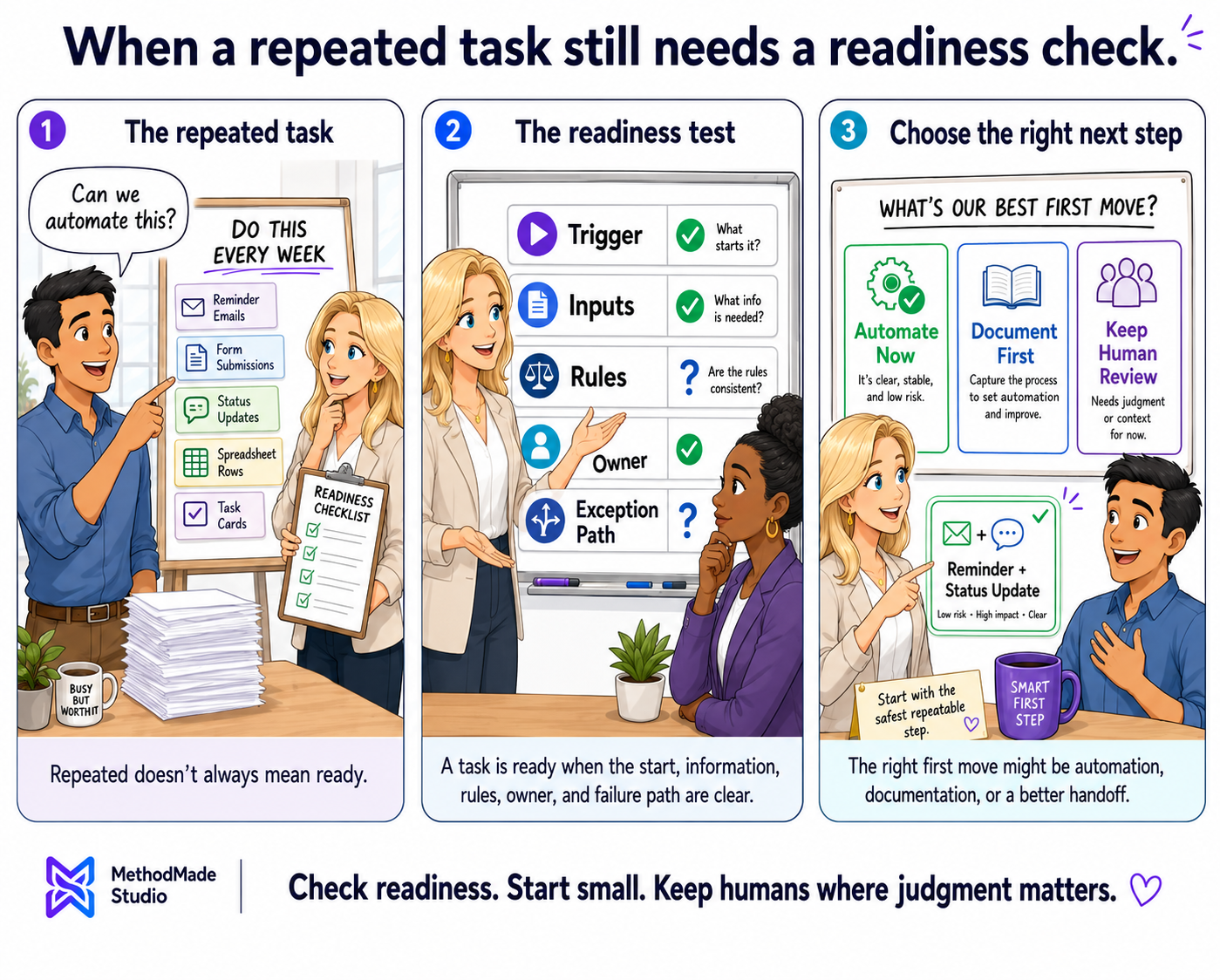
Automate when the task is clear, low enough risk, measurable, and recoverable. Clarify first when ownership, definitions, information, or exceptions are weak. Keep it human when judgment, sensitivity, or consequences make automation irresponsible.
Begin with a contained step such as task creation, confirmation, routing, a reminder, a status flag, or a draft for review. Watch real results, correction time, and missed context before adding more complexity. The safest first automation is usually useful, visible, and pleasantly unexciting.
Visual guide
A task is ready for automation when the rules are clear enough to trust.
Your action plan
A complete pre-automation worksheet and a decision to automate, clarify first, or keep the task human.
Related MethodMade support
MethodMade can document the real process, clarify handoffs and exceptions, evaluate readiness, and design a contained automation that supports human responsibility rather than hiding it.
A natural next step
The guide or story below builds naturally on what you just read.
Related practical guide
A form collects information; a working system makes the request visible, confirms receipt, assigns ownership, tracks status, prompts follow-up, and recovers when the normal path breaks.
Read guide →Related experience story
A spreadsheet-based workaround had become a recurring operational dependency. I turned the real process underneath it into a searchable internal application that preserved existing work and removed approximately 295 hours of manual entry each month.
Read story →