
1
Choose
- Low-risk task
- Reversible result
- Clear benefit
Use Ai Carefully And Usefully
Choose one contained, low-risk use for AI, protect private information, preserve original sources, keep a person responsible for the result, and measure whether the experiment actually reduces useful work.
Safe AI experiment
AI can summarize, sort, draft, compare, and transform information quickly. It can also invent details, flatten context, expose private information, and create confident-looking work nobody checked. Start smaller than the hype. Choose one ordinary task where the input is appropriate, the output can be reviewed, and a mistake can be corrected without harming a customer, employee, or business decision.
The safest place to begin is a narrow support task with appropriate information, a visible reviewer, and a result that can be corrected or discarded.
Good starting points include organizing approved notes, drafting internal outlines, grouping customer questions, rewriting a plain-language version, preparing a checklist, or creating a first draft from verified source material.
Avoid beginning with autonomous decisions, sensitive customer communication, access changes, legal or financial conclusions, employee judgments, or actions that affect someone before a responsible person reviews them.
Decide what information may be used, what must be removed, and which tools are approved for the task. Do not casually paste customer, employee, legal, financial, medical, account, security, contract, or private business information into an AI tool.
Approval should consider the tool’s terms, access, retention, business obligations, and the actual purpose of the experiment. Anonymize examples when identity is unnecessary.
AI output should remain traceable to the material it came from and constrained to a task narrow enough that a person can review it meaningfully.
Do not let an AI summary replace the notes, documents, recordings, or records it used. Keep the source and make it easy for the reviewer to check what the tool changed, omitted, grouped, or inferred.
Source preservation matters most when context, disagreement, timing, or exact wording affects the meaning. A neat summary can hide the very detail a person needs to make a responsible decision.
State the task, approved source material, required format, what the tool must not invent, and how uncertainty should be marked. “Group these exact customer questions by topic and preserve the original wording” is easier to verify than “find insights in our customer data.”
Narrow instructions reduce ambiguity, but they do not guarantee accuracy. They make human review possible and make failures easier to recognize.
Safe AI boundary
Approved workflow boundary
AI assists. A responsible person decides what is accurate, appropriate, and ready to use.
“A person will check it” is not a control unless someone owns the review, knows what to inspect, and has enough time and source context to do it.
Assign a person responsible for accuracy, context, tone, privacy, and whether the output should be used. The reviewer should understand the source material and the consequence of getting the result wrong.
Keep consequential decisions visible. AI may help prepare information, but the accountable person still decides what is true, appropriate, safe, and ready to move forward.
Use several examples where the business already knows the correct result. Include an incomplete source, an unusual case, conflicting information, and an example the tool should reject or escalate.
This reveals whether the system behaves sensibly only on clean examples or whether it knows when the task exceeds its boundary.
Track time saved after review, corrections required, missed context, privacy concerns, reviewer confidence, and whether the output improved the next step. Novelty and fast generation are not useful measures on their own.
A draft that appears in seconds but takes longer to verify and repair is not saving useful work.
A small worked example shows what responsible AI use looks like in practice—and the stop conditions keep the experiment from quietly becoming an uncontrolled dependency.
Choose a set of notes the business is permitted to use. Remove unnecessary identities and sensitive details, label each source and date, and ask AI to group repeated topics without inventing conclusions.
Review every group against the original notes. Then create a short list of facts, decisions, open questions, and next actions, each traceable to its source. The useful output is not merely a prettier summary; it is clearer work that a person has verified and can now act on.
Stop or redesign the experiment if the tool exposes inappropriate information, repeatedly invents facts, creates more review work, encourages people to skip judgment, produces outputs nobody owns, or becomes essential without a recovery path.
A responsible experiment is allowed to conclude that AI is not useful for this task. Learning that early is a successful result, not a failed project.
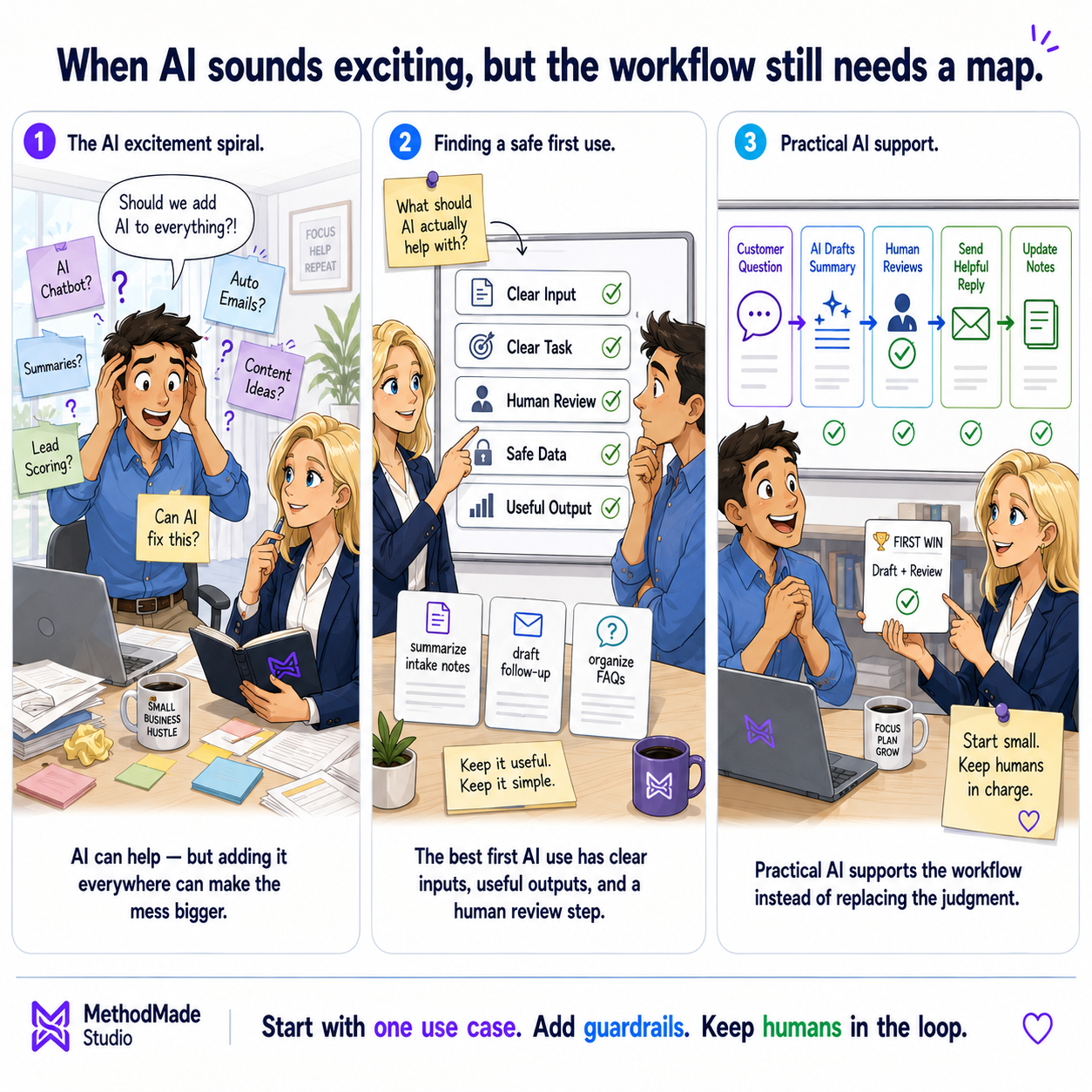
Visual guide
AI works best when it supports the workflow instead of becoming the workflow.
Your action plan
A one-page AI experiment plan with an approved use case, information boundary, review owner, source-preservation rule, test examples, success measure, and stop condition.
Related MethodMade support
MethodMade can help choose a contained AI use, set practical privacy and review rules, test it with real work, and decide whether it deserves a place in the business without adding uncontrolled tool sprawl.
A natural next step
The guide or story below builds naturally on what you just read.
Related practical guide
Your business may already collect the information it needs, but it can be scattered across spreadsheets, forms, inboxes, reports, and different tools. Start with one question, decide which records to trust, and put the answer where someone can use it.
Read guide →Related experience story
New client opportunities depended on data the product could not ingest directly. I designed and built a controlled translation layer that preserved business meaning, protected the internal model, and delivered reliable records into existing workflows.
Read story →